How To Embed Recurring Donation Forms on WordPress
Ready to add your donation form to your WordPress website and bring in more donations? Donorbox makes it easy to embed your donation form seamlessly into your website to boost donor trust and make giving easy. Read on to learn how.
To install recurring donation forms (weekly, monthly, quarterly, annual) on your WordPress site, there is no better solution than Donorbox.
Donorbox is a powerful donation platform that supports a variety of payment methods (cards, ACH, Apple/Google Pay, SEPA, PayPal). It also has a form builder that lets you create beautiful donation forms that can collect any data you need.
By embedding Donorbox’s optimized recurring donation forms directly on your WordPress site, you can greatly increase your donation conversion.
There are two ways to embed a Donorbox donation form into your WordPress website.
1. You can use our WordPress donation plugin. Learn how you can embed the donation form using the WordPress plugin in this article or check our step-by-step video tutorial below
We’ll be showing you the latter in this blog post. In a few simple steps, you can embed the power of Donorbox into your WordPress website. Let’s get started!
How to Embed a Donation Form Using Embedding Code
Step 1
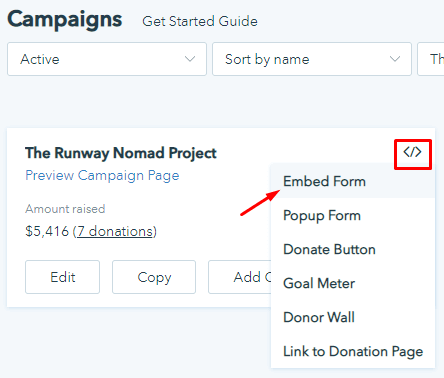
Go to your Donorbox campaigns page, and find the campaign you wish to embed on your site. Click the form integrations icon </> for that campaign and select the “Embed Form” option.
Step 2
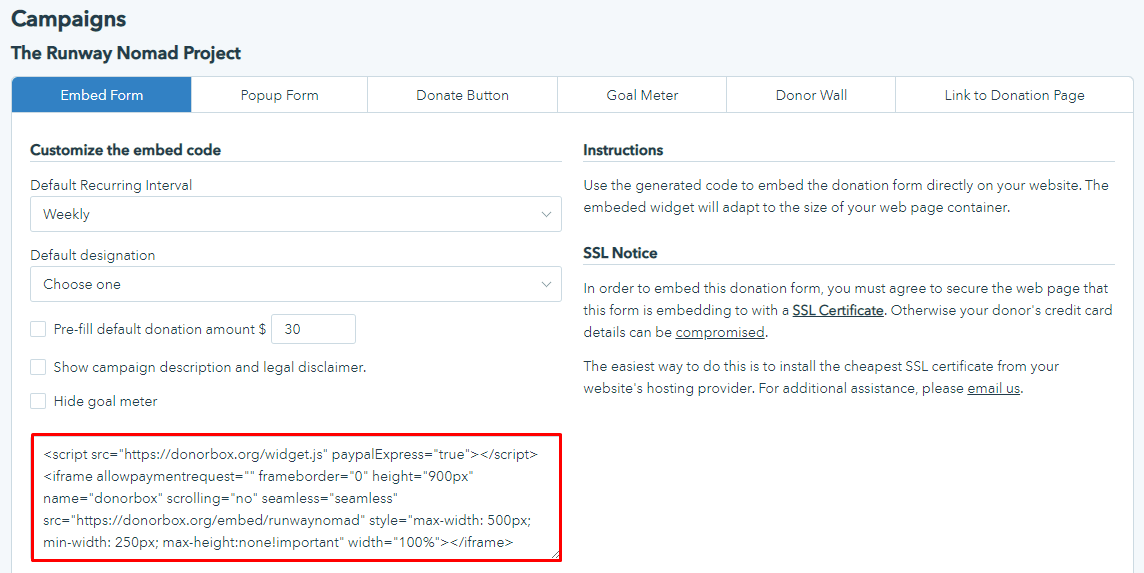
Copy the embed code for your form.
Step 3
Go to your WordPress page editor of the page in which you wish to insert your donation form.
WordPress has recently released a new page editor, which some sites are already using. Whether you choose the old or new editor, here’s how to add the embed code to your page.
3.1 Old Editor
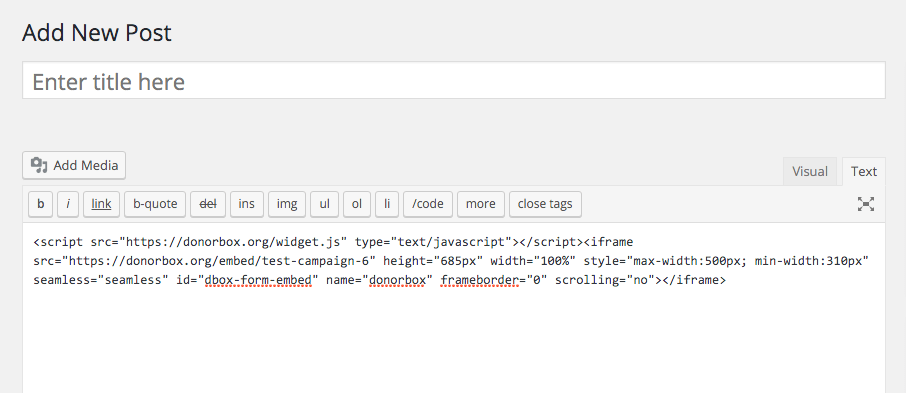
Make sure you are on the text editor (not the visual editor). Paste the donation form embed code in the area that you want the form to appear. Publish your post when you are done!
3.2 New Editor
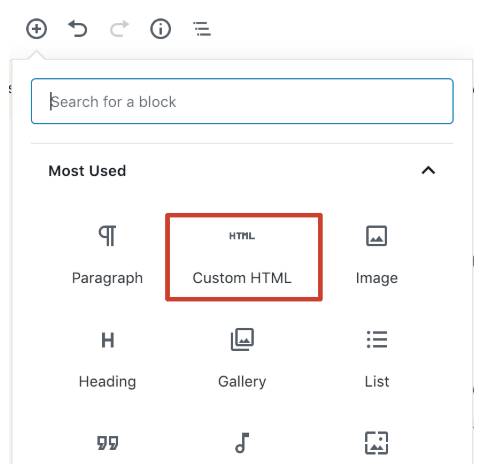
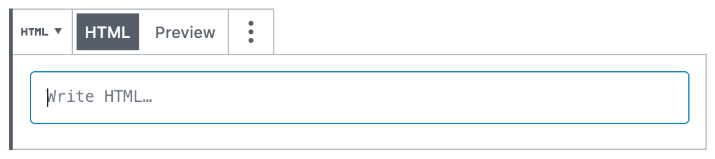
Make sure you’re viewing the page using the block editor. Click the + sign to add a block for the donation widget, selecting ‘Custom HTML’
Paste the embed code snippet you copied from the Donorbox dashboard into the text box.
For a preview of how the widget will appear on your page, you can click Preview. Finally, publish or save the post when you’re happy with the results.
Start Accepting Donations
Once the steps above are done, you are ready to accept donations. Here is an example of an embedded form on the BluePath Service Dogs website.
Raviraj heads the sales and marketing team at Donorbox. His growth-hacking abilities have helped Donorbox boost fundraising efforts for thousands of nonprofit organizations.
 Raj
Raj